Logo

Help Center

Sign in
Submit a request
English (US) Nederlands
Search the Help Center
  1. Spotler Mail+ Help Center
  2. FAQ's
  3. Automations

Articles in this section

  • When does the automation trigger check whether a date has been reached?
  • When the automation has a status Final (green), can it still be adjusted afterwards?
  • Will the current campaigns in the Campaigns module be automatically transferred to the Automations module in the long run?
  • Where can I find the report of my automation?
  • How do I apply a filter to a trigger, action, or condition?
  • What happens to contacts who have not yet gone through the entire automation, while the end date of a publication has passed?
  • Can I also use campaign messages in the Campaigns module in an automation?
  • Is it true that I don't see the change in my automation in the publisher?
  • Can an automation be published multiple times?
  • How can I choose on which day an action may or may not be performed?
See more

Where can I find the report of my automation?

The report of your automation can be found in the publisher. Here you will find all automations that have been started. Right-click on the publication for which you want to see the report.
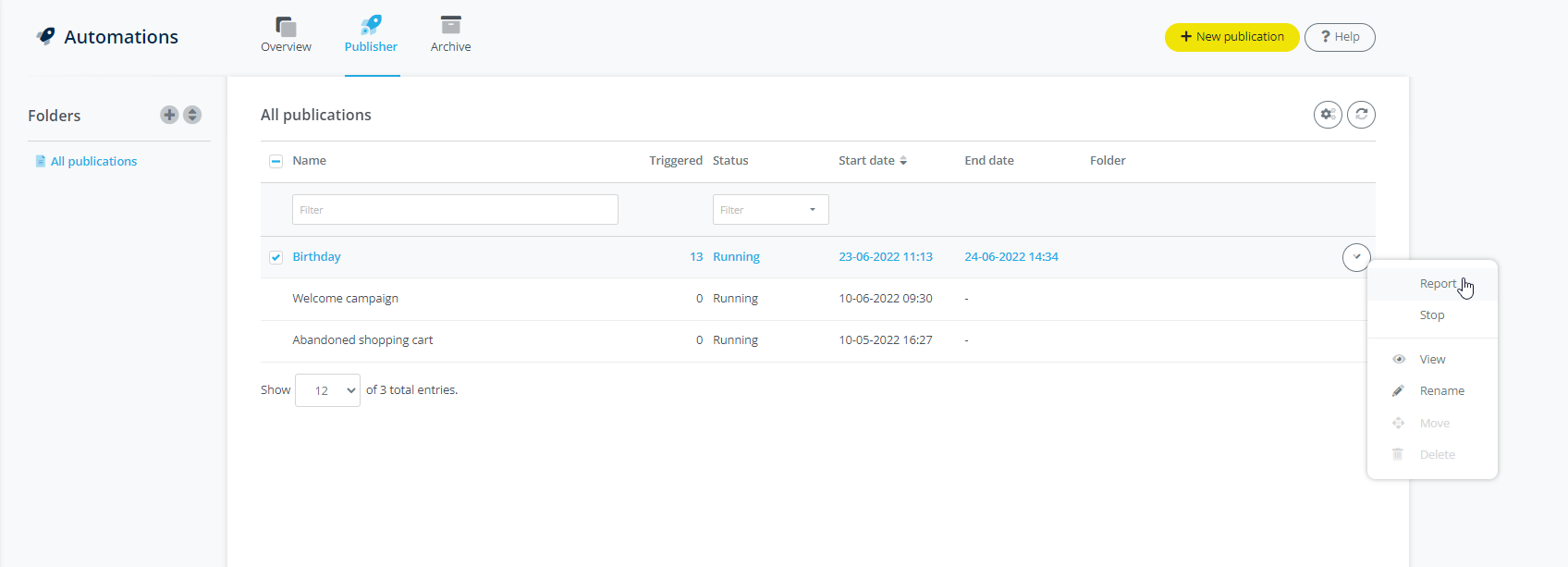
 

Publish_report.png

Useful articles

  • Report Automation
Was this article helpful?
Would you like to tell us why you didn't like the article?
Leave feedback

Spotler NL Support: +31 (0)88 – 103 09 09   |  support.mailplus@spotler.com

Spotler UK Support: +44 (0)1483 411 911   |  support@spotler.co.uk

Activate   |   ActivatePro   |   Activate Search   |   Aigent   |   Connect   |   Cloud   |   CRM   |   Engage   |   Mail+   |   MailPro   |   Message   |   Predict   |   SendPro   |   Momice   |   Let's Get Digital
Copyright © Spotler   |   Privacy Statement   |   Disclaimer   |   Trust Center   |   ISO/IEC 27001:2022   |   Support