Put the forms on a webpage in Spotler. That way, the form is displayed with a clean formatting. Add a link to the symbols in the newsletter that refers to these webpages.
Go to the Webpages module. Just as with the Images module and Forms module, it can be useful to create a separate folder for the feedback webpages. You are going to create two webpages in the Webpages module. One for the negative feedback form and one for the positive feedback form.
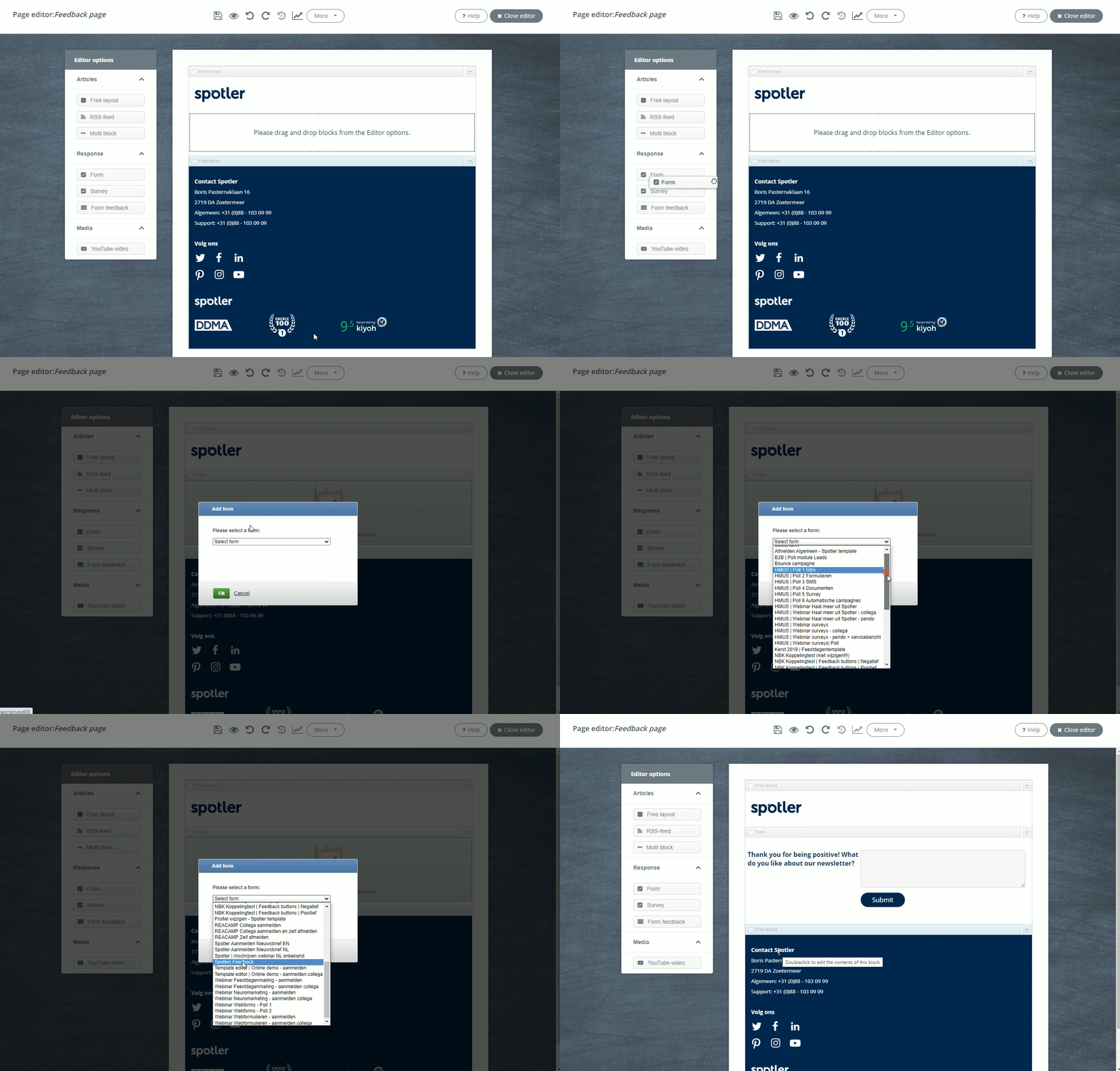
Click on the button New page. Give it a name that you will be able to recognize and click on Save & next. This will take you to editor of the webpage. Drag a form from the editor options onto the canvas and select the desired type of form.
Would you like to know more about the webpage editor? Then read the article Webpages editors.